
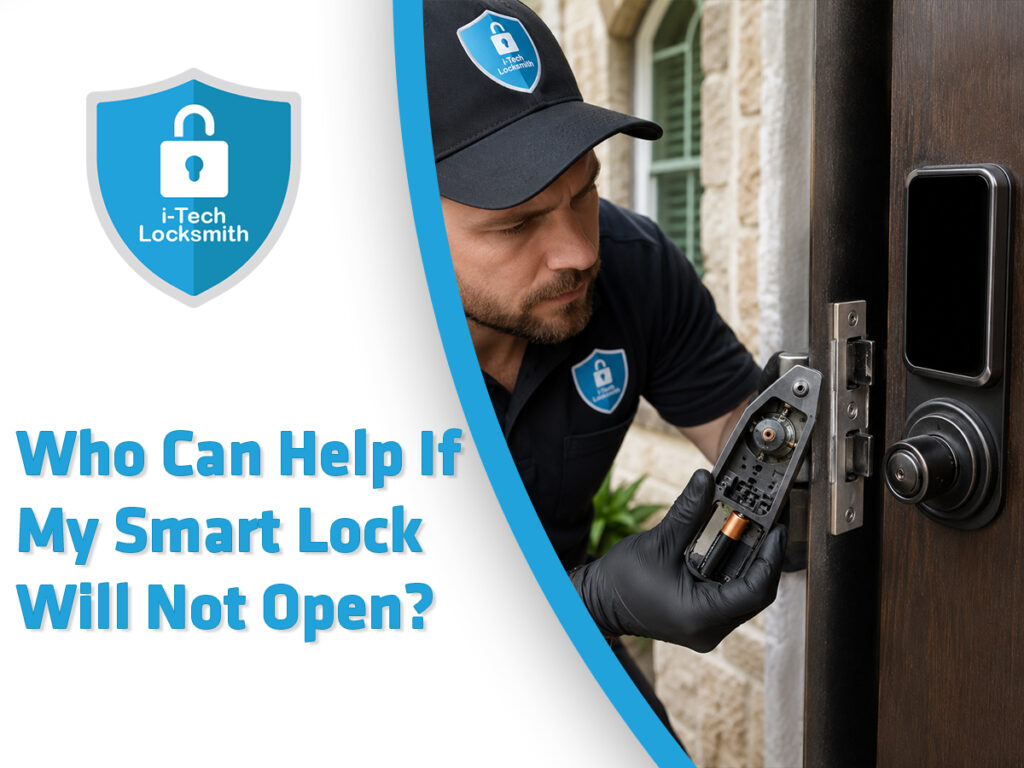
Steps When Your Smart Lock Will Not Open
A smart lock can fail even when its mobile application appears normal because the electronic controls and mechanical deadbolt must both work correctly. Therefore, a blank keypad, weak batteries, failed motor, tight bolt, or shifted door may prevent entry. Connected locks offer useful access features, yet their digital functions also add security, privacy, power, and network concerns that standard mechanical locks do not have.
AI Overview
A professional locksmith who understands electronic and mechanical door hardware can help when a smart lock will not open in Arlington. I-Tech Locksmith Arlington can inspect the batteries, battery contacts, keypad, emergency power option, backup key, deadbolt, strike plate, door alignment, motor, and internal lock parts.
First, install fresh batteries according to the lock maker’s instructions. Next, check whether the keypad responds and whether the door is placing pressure on the deadbolt. You may also try the approved emergency power method or physical backup key when the model provides those options.
Do not force the thumb turn, pry the door, strike the keypad, or dismantle the exterior lock while the door remains closed. These actions can damage the lock, door, wiring, or finish.
When basic checks do not restore access, a locksmith can:
• Inspect the full lock and door system before choosing an entry method.
• Open the door carefully when possible, then test, repair, reset, or replace the smart lock.
Replacement may be the better choice when the motor has failed, the keypad remains unresponsive, the housing is damaged, failures keep returning, parts are unavailable, or the model no longer receives reliable support.
Who Can Help When a Smart Lock Will Not Open?
A locksmith trained in smart locks and electronic access hardware is often the most useful first call. Smart lock service can involve both digital controls and standard door mechanics.
A technology support agent may help with an application, account, network, or software problem. However, remote support cannot directly inspect a jammed deadbolt, shifted strike plate, damaged cylinder, or failed motor.
A professional locksmith can examine:
• The keypad, battery compartment, contacts, motor, cylinder, and internal mechanism.
• The deadbolt, strike plate, door frame, hinges, and door alignment.
ALOA Security Professionals Association explains that locksmiths can work beyond standard key cutting and basic lock installation. Professional locksmith services can include electronic access control, door hardware, frames, emergency access, and broader security recommendations.
Therefore, the best provider is someone who can assess the complete opening. Replacing batteries alone will not solve a bolt that is trapped against the strike plate.
Likewise, adjusting the strike plate will not repair a failed motor or damaged circuit. The service must match the true cause.
Why Do Smart Locks Suddenly Stop Opening?
Based on the experience supplied for this article, dead batteries and unresponsive keypads are common starting points during smart lock service calls.
However, a smart lock may stop opening for several reasons. More than one problem may also exist at the same time.
Common causes include:
• Weak batteries, incorrect battery placement, corrosion, or damaged battery contacts.
• A blank keypad, failed motor, tight deadbolt, shifted door, or damaged internal mechanism.
Some locks continue to display lights even when the batteries lack enough power to move the bolt. Therefore, visible keypad activity does not always prove that the lock has enough power.
Likewise, an application may report that the lock opened while the bolt remains stuck. This can happen when the motor turns but the bolt meets strong resistance.
A door may shift because of hinge wear, moisture, temperature changes, frame movement, or repeated use. However, the cause should be confirmed through inspection rather than assumed.
The first goal is to separate three possible problems:
• A power or electronic control failure.
• A mechanical lock, bolt, door, or alignment failure.
What Should You Check Before Calling a Locksmith?
Basic checks may restore access without harming the lock. However, use only methods allowed by the smart lock manufacturer.
Start with the simplest likely cause. Then, stop when a step requires force, removal of secured parts, or unsafe access.
Before requesting service:
• Confirm the smart lock brand, model, symptoms, and last known working time.
• Gather the backup key, fresh batteries, application access, and product instructions.
Fresh batteries should match the type and placement required by the manufacturer. Mixing old and new batteries can make diagnosis less clear.
Also, check whether the battery cover is secure. A loose battery may briefly connect and then lose contact when the motor starts.
Observe the keypad carefully. Note whether it is blank, flashing, beeping, restarting, or displaying an error.
Share those details with the locksmith. A clear description helps the technician bring suitable tools and possible replacement options.
Do not continue entering codes repeatedly when the keypad appears locked. Some models delay new attempts after several incorrect entries.
How Should You Check the Batteries Safely?
Battery failure is one of the first conditions I-Tech Locksmith Arlington checks. Even recently installed batteries may be weak, placed incorrectly, or unable to maintain contact.
Use the battery type stated in the product guide. Then, install a complete fresh set rather than replacing only one battery.
Check these areas:
• Battery direction, battery condition, and contact with the terminals.
• Corrosion, residue, bent contacts, or loose battery compartment parts.
Do not scrape electrical contacts with a knife or sharp tool. This can damage the contact surface or cause an electrical short.
If you see leaking batteries or heavy corrosion, avoid touching the residue with bare skin. Follow the battery maker’s handling instructions.
Some smart locks provide an exterior emergency power connection. For example, a model may accept temporary power through approved exterior contacts.
Use only the process described by the manufacturer. Emergency power may wake the keypad, but it may not repair a damaged motor or trapped bolt.
Battery replacement should lead to a clear test:
• Does the keypad now respond?
• Does the motor attempt to move the bolt?
What If the Keypad Is Still Blank?
A blank keypad after fresh batteries suggests that the problem may involve more than normal battery depletion.
The issue could involve damaged contacts, loose wiring, failed electronics, moisture, a damaged keypad, or an internal connection problem. However, inspection is needed before naming the cause.
When the keypad remains blank:
• Stop repeated tapping, striking, or pressing with excessive force.
• Check the approved emergency power and backup entry options.
Avoid spraying cleaner or lubricant onto the keypad. Liquid can enter openings and affect electronic parts.
Likewise, do not remove the exterior keypad while the door is locked unless the manufacturer provides a safe process. Wiring or mounting parts may be damaged.
A locksmith can inspect the lock after safe entry. The technician may test whether power reaches the keypad and whether the interior assembly responds.
If the keypad or control board has failed, replacing the affected part may be possible. However, full replacement may provide better value when parts are unavailable or failures keep returning.
Can a Backup Key Open a Failed Smart Lock?
Many smart locks include a mechanical backup cylinder. However, not every model has one.
When a backup key is available, insert it gently. Do not force a key that will not enter or turn normally.
Before using the key:
• Confirm that it is the correct backup key for that lock.
• Check the key for bends, cracks, severe wear, or damage.
A mechanical key may still fail when the deadbolt is under pressure. The cylinder may turn partly while the bolt remains trapped against the strike.
Try gently moving the door toward or away from the frame while applying normal key pressure. Stop when strong force is required.
Do not use pliers to twist the key. A broken key inside the smart lock creates another problem.
For help with difficult or stuck keys, review this guide about a key stuck in a lock and what to do.
If the backup key is missing, do not insert a random key or tool. A locksmith can assess another careful entry method.
How Does Door Alignment Stop a Smart Lock?
A smart deadbolt depends on a clear path into the strike opening. When the door shifts, the bolt may rub, bind, or stop before fully extending.
The motor may not have enough power to overcome that pressure. As a result, the lock may report an error or repeatedly reverse.
Common alignment signs include:
• The lock works while the door is open but fails when the door is closed.
• The door must be pushed, lifted, or pulled before the bolt moves.
The strike plate may be slightly out of position. The hinges may also be loose, worn, or pulling away from the frame.
Do not solve the problem by repeatedly running the motor. Continued binding can drain batteries and place stress on internal parts.
A locksmith should inspect:
• The bolt path and marks around the strike opening.
• The door gap, hinges, frame, mounting screws, and lock position.
An adjustment may restore smooth movement. However, a damaged frame, warped door, or structural issue may require another qualified professional.
The key goal is smooth manual movement before electronic operation. Technology cannot compensate for severe mechanical resistance.
What Does a Locksmith Inspect During Service?
Based on the process selected for this article, I-Tech Locksmith Arlington examines the lock motor, internal mechanism, deadbolt, strike plate, and door alignment.
The technician also considers safe entry methods before damaging the lock or door.
A complete assessment may cover:
• Battery power, contacts, wiring, keypad response, and motor sounds.
• Bolt movement, cylinder operation, strike alignment, door pressure, and mounting.
The technician should ask what happened before the failure. For example, did the keypad slowly become dim, or did the lock fail suddenly?
The answer helps separate battery depletion from a more serious failure.
The technician may also ask whether:
• The lock was recently installed, reset, updated, or moved.
• The door began sticking before the smart lock stopped working.
A professional locksmith should confirm ownership or authorization before opening secured property. Customers should prepare identification and documents that connect them to the home or building.
How Can a Locksmith Open the Door Without Damage?
No locksmith can promise a damage free result before inspecting the lock. However, careful entry methods should be considered before destructive work when conditions allow.
The correct technique depends on the smart lock, backup cylinder, door, internal failure, and access conditions.
A careful process includes:
• Identifying the exact lock before selecting an entry method.
• Protecting the door, frame, finish, wiring, and usable hardware when possible.
The technician may use the mechanical cylinder, another approved entrance, lock specific tools, or another suitable method.
When the lock has severe internal damage, destructive entry may sometimes be necessary. The technician should explain why before proceeding.
The customer should understand:
• Which part may be damaged during entry.
• Which hardware will need repair or replacement afterward.
Read this guide about what to do during an emergency lockout before attempting home entry methods.
Can a Failed Smart Lock Be Repaired?
Some smart lock problems can be corrected. For example, the technician may resolve battery contact issues, loose mounting, alignment problems, or a mechanical obstruction.
However, repair depends on the model, damage, parts, support, age, and expected reliability.
Repair may be reasonable when:
• The main lock remains sound and the failed part can be serviced safely.
• The repair restores consistent operation at a sensible cost.
A technician should not present a temporary result as a permanent repair. The lock should be tested several times after service.
Testing should include:
• Locking and unlocking with the door open.
• Locking and unlocking with the door closed.
The keypad, application, backup key, thumb turn, remote functions, and access codes should also be checked when those features apply.
Repair becomes less attractive when the lock has repeated failures. A door lock must work reliably during normal entry and urgent situations.
When Should the Smart Lock Be Replaced?
Based on your selected service approach, replacement may be appropriate for any combination of serious or repeated problems.
Important reasons include:
• A failed motor, damaged mechanism, broken housing, or dead keypad.
• Repeated faults, missing parts, poor support, or unreliable operation.
Replacement may also be practical when repair costs approach the cost of a suitable new lock.
An older lock may no longer receive application support, security updates, replacement parts, or reliable compatibility.
Connected devices can introduce cybersecurity and privacy concerns in addition to physical security concerns. NIST and the FTC advise users to maintain connected devices, secure their accounts and networks, and consider the support available for those products.
Before selecting a new smart lock, compare:
• Backup entry options and low battery warnings.
• Product support, account security, updates, and door compatibility.
Read this guide on the truth about smart locks and whether they are worth it.
What Features Should a Replacement Smart Lock Have?
The best smart lock is not simply the model with the most features. It should fit the door, household needs, security plan, and user abilities.
Consider what happens when power, internet, Bluetooth, or the application is unavailable.
Useful replacement features may include:
• A mechanical backup key or approved emergency power method.
• Clear low battery alerts and simple local access controls.
Also, examine how access codes are created, changed, and removed. Temporary access can be useful for guests, service providers, tenants, or staff.
However, unused codes should be removed. Former users should not keep active access.
For connected locks:
• Use unique account passwords and available multifactor authentication.
• Keep the application, phone, router, and lock software current.
NIST recommends reviewing privacy settings, changing default passwords, using multifactor authentication when available, and installing updates for smart home devices.
The FTC likewise recommends securing the home network and maintaining connected devices.
How Can You Protect a Smart Lock Account?
A smart lock protects physical access, yet the related account may control codes, users, alerts, and remote functions.
Therefore, account security should receive the same care as the lock hardware.
Important steps include:
• Use a unique password that is not shared with other accounts.
• Enable multifactor authentication when the service offers it.
Review the list of authorized users. Remove old household members, tenants, employees, contractors, or service providers who no longer need access.
Also, check the connected email account. Someone who controls that email may be able to reset the smart lock account password.
Avoid sharing permanent master codes. Instead, create separate codes when the system supports them.
CISA notes that internet connected home devices, including door locks, bring convenience while also creating security risks that users should manage.
Account security does not repair a failed motor. However, it protects the digital side of the access system after physical service is completed.
Should You Reset the Lock During a Lockout?
A factory reset may remove codes, accounts, settings, calibration, and network connections. It may also fail to open a mechanically jammed deadbolt.
Therefore, do not reset the lock simply because the door will not open.
Before resetting:
• Read the exact manufacturer instructions for the model.
• Confirm whether the process requires interior access.
Many smart locks place the reset button inside the secured side of the door. Attempting to remove exterior parts to reach it can cause damage.
A reset may become useful after the door is open. For example, it may help when ownership changes or software settings become corrupted.
However, the technician should first determine whether the problem is electronic or mechanical.
If the motor cannot move a trapped bolt, reprogramming will not correct the alignment.
Likewise, if the keypad has no power, resetting the account may not restore local access.
What Should You Avoid During a Smart Lock Emergency?
A smart lock failure can be frustrating, especially at night or during severe weather. However, unsafe attempts can increase the final repair cost.
Avoid these actions:
• Do not pry the door, drill the lock, or strike the keypad.
• Do not force the key, thumb turn, motor, or deadbolt.
Do not apply oil or household spray to the keypad, wiring, battery area, or electronic components.
Likewise, do not share your account password, master code, or permanent access code with an unknown service provider.
A locksmith may need a temporary code for testing. However, you can change or remove that code afterward.
Do not purchase a replacement lock before confirming door measurements and compatibility.
Finally, do not ignore repeat failures. A lock that works only after several attempts may fail completely during the next use.
Illustrative Arlington Smart Lock Case
The following example combines the service situations selected for this article. It is illustrative and is not presented as a documented customer record.
An Arlington homeowner returns home and finds that the smart lock keypad is blank. The customer installs fresh batteries, yet the keypad still does not respond.
The backup key is unavailable. Therefore, normal entry is not possible.
A locksmith arrives and first verifies authorization. Next, the technician identifies the smart lock and examines the door.
The inspection finds several concerns:
• The keypad does not respond after approved power checks.
• The deadbolt is also binding against the strike plate.
The technician uses a careful entry method and avoids unnecessary door damage. After opening the door, the technician tests the motor and internal mechanism.
The motor operates inconsistently, while the door alignment places extra pressure on the bolt.
Because the smart lock has repeated failures, the homeowner chooses replacement rather than a temporary repair.
The technician then corrects the bolt path, installs suitable hardware, and tests the new lock with the door open and closed.
The lesson is clear. A blank keypad may be only one part of the problem. The full door and lock system must be inspected.
How Can You Prevent Another Smart Lock Failure?
Preventive care cannot eliminate every failure. However, regular checks can reduce avoidable lockouts.
Start with battery maintenance. Replace batteries before they become fully depleted, using the type recommended by the manufacturer.
Each month, check:
• Whether the keypad, application, backup key, and thumb turn work.
• Whether the door closes easily and the bolt moves without rubbing.
Keep the backup key in a secure place outside the locked home. Do not store it inside the property where it cannot help during a lockout.
Also, review access codes and authorized users. Remove access that is no longer needed.
For connected locks, keep software current and protect the related account.
Use this home security checklist to review the smart lock as part of the complete entry system.
How Should You Choose an Arlington Smart Lock Locksmith?
Ask whether the locksmith has experience with both electronic locks and mechanical door hardware.
A provider should not focus only on the application or only on the deadbolt. Smart lock performance depends on both systems.
Before booking service, ask:
• Can you inspect the motor, bolt, strike plate, and door alignment?
• Will you explain repair and replacement choices before work begins?
Confirm the company identity and request a reasonable explanation of the possible charges.
ALOA notes that professional locksmiths can support doors, frames, locks, and electronic access systems. It also advises consumers to avoid providers that use misleading prices or leave property damaged.
Prepare proof that you own or are authorized to access the property. A careful locksmith should verify that authority before opening the door.
Frequently Asked Questions
Conclusion: Restore Safe Access Without More Damage
When a smart lock will not open in Arlington, begin with safe and simple checks. Install fresh batteries, inspect the contacts, confirm the model, and try the approved backup method.
Next, observe the lock carefully. A blank keypad suggests a power or electronic issue, while motor sounds may point toward mechanical resistance.
Do not force the lock. Avoid prying the door, twisting the key with pliers, striking the keypad, or dismantling secured components.
A trained locksmith can inspect:
• The keypad, power source, contacts, wiring, and motor.
• The deadbolt, strike plate, backup cylinder, door, and frame.
I-Tech Locksmith Arlington’s process focuses on identifying both electronic and mechanical causes. When possible, the technician uses a careful entry method before recommending destructive work.
After entry, the technician can test the lock and explain whether repair remains reliable.
Replacement may be the stronger option when the motor fails, the keypad remains blank, the housing is damaged, failures keep returning, or parts are unavailable.
Most importantly, do not treat every smart lock failure as an application problem. The door and deadbolt may be causing the lockout.
Likewise, do not assume fresh batteries prove that the lock is healthy. A full inspection provides a clearer answer.
Contact I-Tech Locksmith Arlington
Contact I-Tech Locksmith Arlington when battery replacement, approved emergency power, or the backup key does not restore access.
The technician can inspect the smart lock, motor, deadbolt, strike plate, and door alignment before recommending repair or replacement.
Contact us at
Phone: 817 383 1387
Location: 1738 W Division St, Arlington, TX 76012
Website: www.i-tech-locksmith.com