1. Access Control for a Small Business Starts With One Powerful Rule
The FBI received details on more than 14 million reported criminal offenses for 2024. More than 16,000 agencies supplied that data. That figure is national, not a forecast for any Arlington business. Still, it shows why owners should make entry decisions before a problem occurs. The FBI report on 2024 crime data gives the full context.
1.1 AI Overview: The Simple Answer
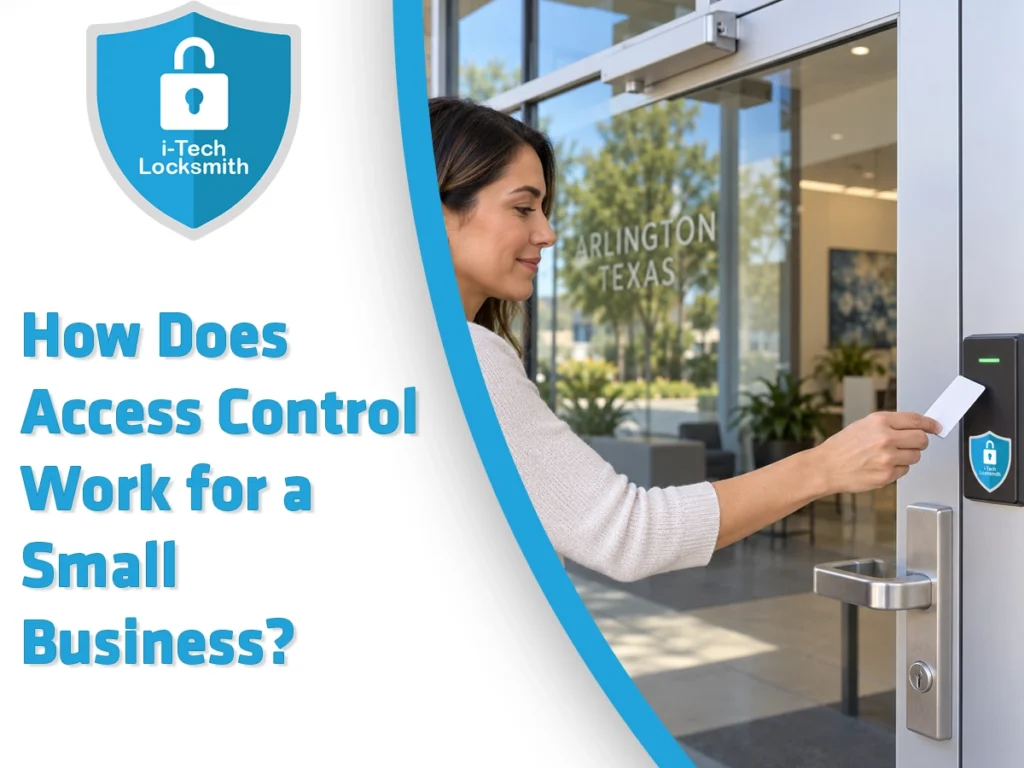
Access control for a small business decides who may open a door. It also decides which door they may use and when. A reader checks a card, fob, code, phone, or other credential. Then, a controller compares that request with saved rules. If the request is valid, the locking hardware releases. Meanwhile, the system may record the event for later review.
Unlike a shared metal key, an electronic credential can usually be changed or removed without replacing every lock. Therefore, owners can manage staff changes faster. They can also restrict stockrooms, offices, and other sensitive spaces. However, the system must match the door, building rules, network needs, and daily work.
- The main goal is controlled entry, not needless limits on trusted staff.
- The best design joins sound door hardware, clear rules, safe exit, and simple management.
For a small business, the idea is not complex. The owner sets the rules. The system checks each request. The door responds. Finally, the event becomes part of a useful record.
2. How Does Access Control for a Small Business Make a Decision?
Every access event follows a short path. First, a person presents a credential. Next, the reader gathers its data. Then, the controller checks that data against a permission list. Finally, the door either opens or stays secure.
This process combines identity and permission. A valid card proves only that the system knows the credential. It does not mean that card should open every door. Therefore, the system also checks the assigned door, schedule, and status.
- Authentication asks, “Is this credential known and valid?”
- Authorization asks, “May this credential open this door right now?”
Suppose a sales employee presents a fob at the front entrance during normal hours. The system may approve that request. However, the same fob may not open the inventory room. Likewise, it may stop working after the employee leaves the company.
NIST describes electronic physical access control as a mix of technology, readers, doors, and locks. Its guidance treats authentication plus authorization as the core model. The NIST physical access control overview covers federal settings, yet its basic model explains commercial systems well.
3. Seven Essential Parts Create a Reliable Entry System
An access system is more than a keypad beside a door. Each part has a clear job. Moreover, every part must work with the door and the other devices.
- The credential identifies a user or a shared access purpose. It may be a fob, card, code, or phone.
- The reader collects data from that credential. Some readers accept one method, while others accept several.
- The controller makes or receives the access decision. It applies the rules saved for that opening.
- The lock hardware secures or releases the door. Common choices include electric strikes and electrified locksets.
- The door position sensor reports whether the door is open or closed. Therefore, it can expose a propped door.
- The request to exit device supports safe movement from the secure side. Its design depends on the opening.
- The management software lets an approved administrator add users, change schedules, and view activity.
Two less visible parts also matter:
- A suitable power supply keeps the system stable and may support backup power.
- Sound closers, hinges, frames, and latches help the door shut as intended.
An advanced reader cannot correct a dragging door. Therefore, survey the opening before choosing equipment. These common lock problems and prevention steps offer more context.
4. Five Popular Credential Choices Offer Different Benefits
The right credential depends on the staff, site, and risk. Therefore, no single method fits every small business.
4.1 Cards and Fobs Keep Daily Entry Simple
Cards and fobs are familiar and fast. Each employee can receive a unique credential. Then, an administrator can remove that credential after loss or departure.
- Cards can support printed identification when visual checks also matter.
- Fobs fit easily on a key ring and often suit active work sites.
However, either item can be lent to another person. Staff should report a missing credential at once.
4.2 Mobile Credentials Reduce Extra Items
A mobile credential lets an approved phone act as the access token. This can make changes fast and reduce the need to issue plastic items.
- Mobile entry may help managers who already carry a work phone.
- Remote assignment can simplify access for approved temporary users.
Still, phone loss, battery limits, app support, and staff privacy need thought. A fallback method also matters.
4.3 Keypad Codes Can Help With Limited Access
Keypads may work well for low risk doors or short access windows. However, shared codes weaken personal records because several people appear as one user.
- Unique codes create clearer records than one code shared by the whole team.
- A firm change process limits the life of an exposed or forgotten code.
In our professional view, a shared code should not protect the most sensitive room. A unique credential offers better control and clearer action when staffing changes.
4.4 Biometrics Need a Clear Business Reason
Biometric readers may check a physical feature. Yet they can add privacy duties and operating concerns.
- Understand how biometric data is stored, protected, and removed.
- Match the added control to a real risk, not a desire for new technology.
5. A Smart Door Plan Protects the Right Places First
Small business access control should begin with risk, not a product list. First, identify people, doors, assets, and work times. Next, decide what harm could follow unauthorized entry.
Most sites have several access zones. The public area may welcome customers during business hours. The staff area may need controlled entry. Meanwhile, a server room, medicine cabinet, records room, or cash office may need tighter rules.
- Map every exterior door, interior restricted door, emergency exit, and delivery point.
- Rank each opening by people safety, asset value, privacy, and business disruption.
For example, a retail shop may control its rear receiving door and stockroom. A small clinic may separate public reception from staff records. Likewise, a warehouse may limit an equipment cage to trained workers.
Do not assume every opening needs electronics. A strong mechanical lock may still be right for a rarely used room. In fact, layered protection often works best. This guide to commercial security enhancements explains other ways to strengthen a business site.
6. Clear Roles Turn Door Hardware Into Real Control
Good access control reflects job duties. Therefore, permissions should follow roles instead of personal convenience. A cashier, cleaner, owner, and delivery partner rarely need identical access.
Create a simple matrix with doors, roles, and needed access times. This method keeps decisions easy to explain and review.
- Give each role only the doors and times needed for its current work.
- Require a named owner to approve every lasting exception.
For example, a manager may enter the office and stockroom. A vendor may enter one equipment room during a scheduled visit. This follows least privilege. People receive enough access for their work, but no more.
7. Strong Credential Management Prevents Quiet Security Gaps
Installation is only the beginning. The business must manage access through hiring, role changes, leave, and departure. Otherwise, old permissions can remain active long after their purpose ends.
First, give each person a unique credential. Next, record who approved it and when it should end. Then, review changes as part of normal staff processes.
- Disable access promptly when a person leaves or a credential goes missing.
- Review all active users and door schedules on a regular written cycle.
Temporary access should expire by design. A contractor may need one door for two days, not lasting access.
Use named administrator accounts when possible. Also, limit those rights and protect them with strong sign in methods.
8. Audit Trails Give Owners Clarity, Not Certainty
An access log may show the credential, door, time, and result. Thus, it can answer useful questions. Did a card open the stockroom? Was entry denied after hours? Did the rear door remain open?
However, a log does not prove who physically held a card. It also does not show everything that happened inside. Therefore, treat the record as one source of evidence, not perfect truth.
- Use unique credentials so events can be tied to an assigned person.
- Set a clear policy for log review, retention, privacy, and approved use.
Alerts add value when they match real risks. A forced or propped door may deserve quick review. However, too many weak alerts become noise.
9. Safe Exit and Power Planning Are Critical, Not Optional
A secure entrance must not create an unsafe exit. OSHA states that exit routes must remain free and unobstructed. Its rules also require safeguards to stay in working order. The OSHA exit route standard provides the official details.
Door type, occupancy, fire rules, and local code can affect the correct hardware. Therefore, owners should involve qualified professionals and the proper authority when required.
- Confirm how every controlled opening behaves during fire alarms, power loss, and equipment failure.
- Test free exit from the secure side without depending on a phone, card, or special knowledge.
The terms fail safe and fail secure describe lock behavior when power is removed. Yet the right choice depends on the door and required exit path. Consequently, owners should not select hardware from that label alone.
Backup power can support a short outage. Still, each part may have different limits. Ask for written offline behavior and test the response plan.
10. Cloud and Local Systems Create Different Duties
A cloud managed platform usually lets approved users manage doors through an online service. A local platform keeps more control equipment and software at the site. Either model can work when it fits the business.
Cloud tools may offer easy remote changes and simple updates. However, owners should examine subscriptions, data handling, support, and offline operation. Local tools may reduce cloud reliance. Yet they can require more onsite care and a secure local computer.
- Ask where access records are stored, how they are protected, and who can view them.
- Ask what still works when internet service fails or the vendor service is unavailable.
Also, confirm who owns the data and how records can be exported if service ends.
Small sites sometimes compare a full access platform with connected locks. This article on whether smart locks are worth it can help frame that choice. The right answer depends on door count, records, staff changes, and integration needs.
11. Three Illustrative Cases Show How the Rules Work
These are illustrative planning cases, not claims about named customers or completed I-Tech Locksmith – Arlington projects.
11.1 Retail Store With a Busy Rear Door
A shop receives goods before opening. Staff also take waste outside through the same rear door. Therefore, the owner wants control without slowing daily work.
- Each employee receives a unique fob with a work schedule.
- A door sensor reports when the rear door remains open too long.
The front remains open to customers during business hours. Meanwhile, the stockroom has separate permission. This plan focuses spending on the doors with the clearest risk.
11.2 Small Office With Staff Changes
An office has one main entrance and one records room. Physical keys have become hard to track after several role changes.
- Staff use named credentials at the main door during approved hours.
- Only selected roles can enter the records room.
When a person leaves, an administrator disables one credential. As a result, the business does not have to recover every copied key. The records room still uses a stronger rule than the general office.
11.3 Warehouse With Vendors and Managers
A warehouse needs early manager access and planned vendor visits. However, it does not want one shared code circulating among outside workers.
- Managers receive broad schedules based on their real duties.
- Vendors receive access to one door with a clear end time.
The system records each event. Even so, the company keeps a visitor process because a door log cannot replace supervision.
12. Our Expert View: Simplicity Is a Powerful Security Feature
From our professional viewpoint, the best access control for a small business is the system staff will manage every week. Extra features add little value when credentials remain active or doors fail to close.
Therefore, start with a door survey and permission plan. Next, document normal use, emergency behavior, and staff duties. Finally, schedule reviews and tests.
- Prefer a simple system with clear ownership over a complex system with vague duties.
- Spend first on sound doors, safe exit, unique credentials, and fast removal.
Electronic access is not the whole security plan. Lighting, frames, key control, alarms, and staff habits still matter. For stronger openings, review the benefits of high security locks.
13. Ten Smart Questions to Ask Before You Buy
A good proposal should explain one normal entry and one failure event in plain language.
- Which doors truly need electronic control?
- What lock hardware fits each door and frame?
- How can people always leave safely?
- What happens during a power or internet outage?
- How are lost credentials removed?
- Who can change permissions and view records?
- How long are access records kept?
- What testing and upkeep does the system need?
- Can the business export its data and change providers?
- What costs repeat after installation?
Two final checks can prevent later trouble:
- Request a door by door scope that names the reader, lock, sensor, power, and exit hardware.
- Request training for the primary administrator and a backup administrator.
A clear scope makes proposals easier to compare. Most importantly, it connects each cost to a business need.
14. A Practical Access Control Plan for Arlington Businesses
Access control for a small business works by joining identity, permission, door hardware, and records. First, a credential identifies a request. Next, the controller applies the rules. Then, the lock responds. Finally, the system records the event when that feature is enabled.
Yet the real value comes from management. Owners can remove lost credentials, limit sensitive rooms, and set useful schedules. They can also review door events without guessing which copied key was used.
- Begin with the people, assets, doors, and hours that shape real risk.
- Build safe exit, clear ownership, staff training, and regular review into the plan.
No system can promise to stop every loss. However, a well planned system can make entry more controlled and changes more manageable. It can also help an Arlington decision maker see where stronger hardware or better process is needed.
I-Tech Locksmith – Arlington can assess commercial doors, explain suitable lock options, and help plan a practical access control upgrade. Recommendations should follow the site, the door, and the business need.
15. Frequently Asked Questions
Can a Small Business Use Phones Instead of Key Cards?
Yes, many systems support mobile credentials. A phone can be convenient because access may be issued or removed through management software. However, owners should plan for dead batteries, lost phones, app support, privacy, and visitors. A backup method is wise. The best option depends on staff habits, site conditions, and support needs.
How Often Should Access Permissions Be Reviewed?
Review access whenever a person joins, changes roles, loses a credential, or leaves. In addition, set a regular review cycle that fits staff turnover and site risk. During each review, confirm every user, door, schedule, and administrator. Remove access that lacks a current business need, and record who approved any exception.
Is Access Control Better Than Traditional Keys?
Access control offers faster credential removal, schedules, and activity records. Traditional keys remain simple and can work well for some doors. Therefore, one is not always better in every setting. Many businesses use both. The best plan matches each opening with the right balance of cost, control, safe exit, upkeep, and daily ease.
What Is Access Control in Simple Terms?
Access control is a way to decide who may enter a door and when. A person presents a card, fob, code, phone, or other credential. The system checks saved rules and then releases or keeps the lock secure. Many systems also record the event, which helps an owner review activity and remove old access.
What Happens to Access Control When the Power Goes Out?
The result depends on the lock, power supply, backup battery, controller, and door rules. Some locks remain secure without power, while others release. Safe exit must still be protected. Therefore, ask for a written outage plan and test it. The correct design depends on the opening, occupancy, and applicable safety requirements.
16. Take the Next Safe Step With I-Tech Locksmith – Arlington
Ready to understand which doors need stronger control? Contact I-Tech Locksmith – Arlington for a practical commercial door review and clear access control options.
- Discuss your doors, staff flow, restricted rooms, and daily schedule.
- Request a solution built around safe use, clear management, and real business needs.
Contact us at
Phone : 817-383-1387
Location : 1738 W Division St, Arlington, TX 76012
Website : www.i-tech-locksmith.com