
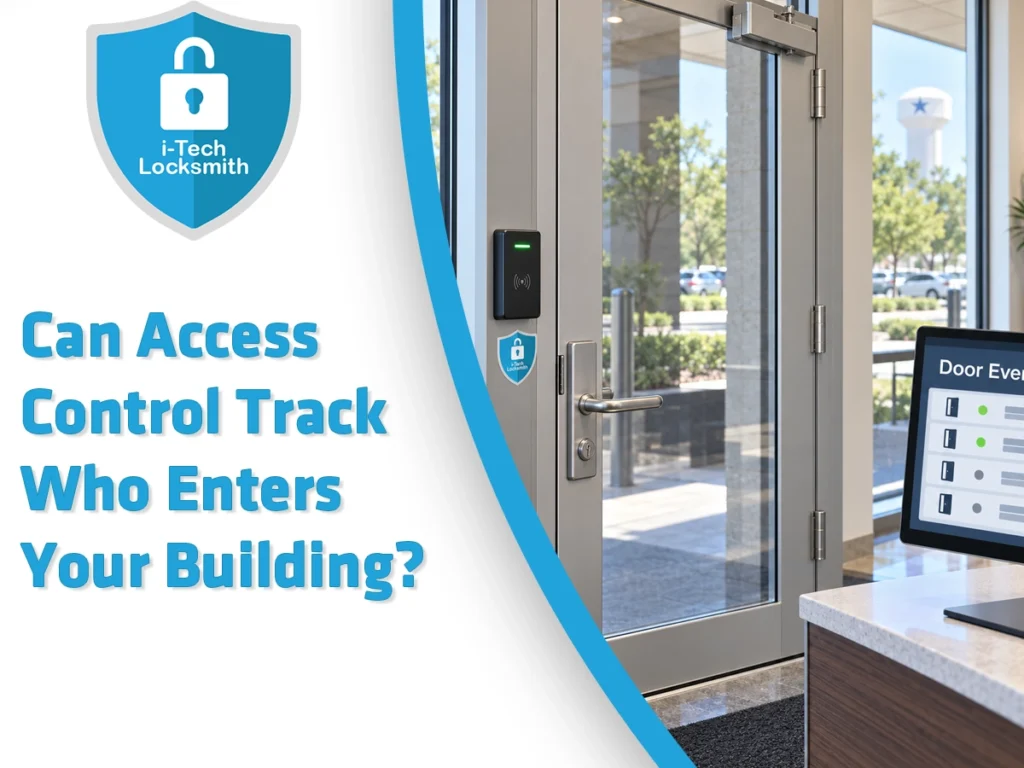
1. Can Access Control Track Who Enters Your Building Clearly?
NIST identifies twelve audit and accountability controls for its low baseline electronic access model. That federal model does not govern every Arlington business. However, it reveals a surprising truth. Entry tracking needs more than a reader that flashes green. The NIST physical access control guidance gives the technical context.
1.1 AI Overview: The Honest Answer
Yes, access control can record many building entry events. A typical log may show the credential, assigned user, door, time, and result. It may also record denied access, a forced door, or an administrator change.
However, the system normally tracks a credential rather than directly proving a person entered. A card can be shared. Someone can follow an approved user through an open door. In addition, a door may be opened from inside without presenting another credential.
- Unique credentials create clearer records than shared cards or common keypad codes.
- Door sensors, visitor tools, and suitable cameras can add context when the business needs it.
Therefore, access control can create useful entry history. Yet owners must understand each event, its limits, and the need for protection.
2. A Door Log Records Events Rather Than Perfect Truth
An access control system responds when a credential interacts with a reader. The controller checks the stored permission and returns a result. Then, the system may save that event.
The record describes what the equipment observed. It does not see every human action. Therefore, treat logs as evidence with clear limits.
- A granted event usually means an approved credential caused the system to release the door.
- A denied event means the system rejected a request under its current rules.
Suppose Maria presents her assigned card at the rear entrance at 7:42 a.m. The system may record Maria, that door, the time, and approval. However, the record proves only that her assigned card was used.
A log can narrow the time and identify a credential. Still, compare other facts before reaching a conclusion.
3. Seven Useful Details May Appear in an Access Record
Features vary by product and configuration. Therefore, buyers should ask for a live example instead of assuming every platform records the same fields.
- Assigned user: The profile linked to the card, fob, phone, or code.
- Credential identifier: The system reference for the credential that made the request.
- Door name: The exact reader or controlled opening involved in the event.
- Time and date: The system time saved with the request or door event.
- Access result: The request may be granted, denied, expired, unknown, or outside schedule.
- Door condition: A connected sensor may report open, closed, forced, or held open status.
- Administrator action: Some systems record who added a user or changed a permission.
Two details make those fields useful:
- Clear door names help staff find the correct event without guessing from device numbers.
- Accurate system clocks help teams compare door events with alarms, messages, or video.
A useful log should answer a real question quickly. Confusing reports may be ignored when pressure rises.
4. Unique Credentials Make Tracking More Meaningful
The quality of an entry record starts before anyone reaches the door. Each person should receive a unique credential. That credential should also match a current staff profile.
A shared card or common code can open a door. However, it cannot reliably separate one user from another. As a result, the business may know which access method worked but not who used it.
- Assign one card, fob, mobile credential, or personal code to each approved user.
- Prohibit sharing and provide a fast way to report a missing credential.
Names should stay current. Informal card transfers make logs misleading. Therefore, reuse should include removal, reassignment, and a clear record.
Access should end when the business need ends. Prompt removal after departure protects the building and improves later reports. Otherwise, an old name may appear beside a current event.
5. Permissions Explain Why an Entry Was Allowed
Tracking is more useful when the permission structure is simple. Managers should know why each person can use each door. They should also know the approved time.
A role based plan can group people by actual work. For example, general staff may use the main entrance. Managers may also enter the cash office. A vendor may receive short access to one service room.
- Match door access to the user’s current duties and approved schedule.
- Require a named manager to approve lasting exceptions and broader access.
Then, a granted event has clearer meaning. Likewise, a denial may show an expired card, wrong door, or blocked schedule.
Broad permissions create weak reports because almost every request is valid. Therefore, strong tracking begins with focused access rather than endless data.
6. Tailgating Creates the Biggest Blind Spot
Tailgating happens when another person follows an approved user through the open door. The second person may never present a credential. Therefore, the system can record one approved event while two people enter.
Door behavior affects this risk. A slow closer or blocked latch can leave the opening available. Likewise, staff may hold a door for someone they recognize.
- Train employees to follow the visitor and credential policy without creating unsafe conflict.
- Use a door sensor and suitable alert when a protected opening stays open too long.
A staffed reception point may guide visitors before they reach private areas. Meanwhile, clear reader placement shows the expected entry step.
No basic access log can fully solve tailgating by itself. Therefore, businesses should avoid claiming that every person inside appears in the report.
7. Door Sensors Add Powerful Context to Credential Events
A reader knows that someone presented a credential. A door position sensor tells the system whether the door is open or closed. Together, these devices create a clearer event story.
For example, the system may grant access but never see the door open. That could mean the person changed plans. It might also point to a sensor or hardware issue.
- A forced door event may appear when the door opens without an expected release event.
- A held open event may appear when the door stays open beyond a set period.
However, alerts depend on sound installation and settings. A poor closer may create repeated warnings that staff begin to ignore.
Therefore, inspect the complete opening. The lock, strike, hinges, closer, frame, sensor, and wiring must work together. These common lock problems and prevention steps explain why physical door care still matters.
8. Visitor Tracking Needs Its Own Clear Process
Employee credentials do not cover every person entering a building. Guests, contractors, delivery workers, and service providers may use different entry steps. Therefore, visitor access needs separate planning.
A visitor system may record an invitation, host, arrival time, or temporary credential. However, available details depend on the chosen tools and staff process.
- Issue temporary credentials with the smallest useful door range and a clear end time.
- Record the responsible host when the business needs a visitor history.
A paper sign in sheet may suit small reception. Digital tools may suit frequent visitors. Either record depends on consistent staff use.
Do not keep visitor access active without a reason. Moreover, do not assume a visitor record proves the person left. Exit tracking requires a separate design and may not suit every building.
9. Entry Logs Help With Real Business Questions
Collecting events without a purpose creates noise. Instead, start with the questions managers truly need to answer. Then, choose fields, alerts, and reports that support those questions.
Useful reviews may include failed access at a staff entrance, after hours activity, or a credential used after departure. Logs may also help confirm whether a door problem affected one user or everyone.
- Search by person, credential, door, date, time, and event result when the platform allows it.
- Create saved reports for repeated checks instead of scanning every event by hand.
NIST defines log management as generating, sending, storing, accessing, and disposing of event data. Its log management planning guide covers wider digital systems, yet its planning logic remains useful here.
Most importantly, write down the purpose of each report. That step helps staff review less data with more focus.
10. Access Logs Should Support Careful Incident Reviews
When stock, cash, or equipment appears missing, managers may turn to the door history. That log can establish a time range and show relevant credential events. However, it should not become the only source.
Compare access records with schedules, alarms, deliveries, and direct observations. Where lawful and suitable, video may add context.
- Preserve the original event data before filtering, exporting, or adding notes.
- Limit the review to authorized people with a valid business purpose.
Do not claim an employee entered solely because their card appears. Someone else may have used it or followed through.
Our professional opinion is simple. Use logs to guide questions, not to replace careful investigation. This approach protects accuracy and reduces unfair conclusions.
11. Privacy and Retention Need a Written Plan
Access records may connect names with locations and times. Therefore, they deserve protection. A business should define who can view them, why they are kept, and when they are removed.
Retention depends on business needs, contracts, policies, and applicable duties. No universal period fits every Arlington site.
- Keep records long enough to support a defined purpose, not forever without review.
- Protect exports, backups, administrator accounts, and any device showing entry history.
The FTC business security guide advises businesses not to collect personal information they do not need. It also recommends limiting sensitive data access to people with a business need. Although access logs are not always identical to customer data, those principles support responsible planning.
Tell staff what is recorded and how it is used. For legal questions, seek advice suited to the workplace.
12. Administrator Tracking Protects the Record Itself
Door events are only one part of the audit trail. System changes can be equally important. A strong platform may record who changed a schedule, removed a user, or opened a door remotely.
Shared administrator accounts weaken that history. If several people use one login, the business cannot easily identify who made a change.
- Give each authorized administrator a named account with only needed rights.
- Review administrator changes alongside unusual door events when appropriate.
Strong sign in controls matter because the portal can affect many doors. Also, remove administrator rights when duties change.
Keep a backup administrator for normal continuity. However, broad access should not be given merely for convenience. The system record deserves the same care as the doors it controls.
13. Cameras Can Add Context but Not Perfect Certainty
An integrated camera may connect video with a door event. Therefore, a manager can move from a timestamp to nearby footage more quickly. This can help review a visitor request or forced door alert.
However, camera position, lighting, storage, image quality, and privacy rules affect usefulness. A face may be blocked. The camera clock may also differ from the access system clock.
- Confirm that system times match before relying on a combined event view.
- Limit footage access and retention according to a clear business purpose.
Cameras should not be added merely because logs exist. First, define the question that video should answer. Then, consider privacy, notice, placement, and lawful use.
For a wider security plan, review these commercial security enhancements. Access records work best as one useful layer, not a promise of total awareness.
14. Cloud and Local Logs Have Different Risks
A cloud managed system may store events through a vendor service. This can support remote search, updates, and reports. However, internet outages and vendor policies affect some functions.
A local system may keep more data onsite. It can reduce dependence on a remote service. Yet the business may carry more responsibility for backups, updates, and secure access.
- Ask where logs are stored, how they are protected, and who can access them.
- Ask whether door events wait locally and upload after an internet outage.
Before signing, ask how subscription endings affect exports, records, and administrator control.
Some owners compare a full access platform with connected locks. The guide on whether smart locks are worth it can help frame that choice. The correct fit depends on door count, reporting needs, and management capacity.
15. Three Illustrative Cases Show the Tracking Limits
These cases are illustrative planning examples. They are not claims about named customers or completed I-Tech Locksmith – Arlington projects.
15.1 Office Entry Record With a Shared Card
An office keeps one spare card at reception. Several approved workers use it after forgetting their own cards. Later, a manager reviews an evening event.
- The log identifies the shared card but cannot identify the actual user.
- A temporary personal credential would create a clearer record.
The lesson is not that logs failed. The weak identity process limited the information available from the start.
15.2 Stockroom Door With a Working Sensor
A retail stockroom uses unique staff credentials and a door sensor. The system records a granted event followed by a held open alert.
- The credential record identifies the assigned card used for release.
- The sensor adds context because the opening stayed open longer than expected.
The record guides a review. However, it still does not prove how many people entered or what happened inside.
15.3 Vendor Access With an End Time
A vendor receives a temporary credential for one equipment room. The permission lasts only during the scheduled service window.
- The log can show requests made with that assigned credential.
- Automatic expiration prevents later entry under the same approval.
The record becomes useful because the credential, door, time, and business purpose all match.
16. Use This Powerful Eight Step Tracking Plan
A useful audit trail starts with business questions and clear ownership. Technology choices should follow that plan.
- List the doors where entry history serves a real purpose.
- Define which users need each door and schedule.
- Give every person a unique named credential.
- Add door sensors where open status matters.
- Set useful alerts without creating constant noise.
- Decide who may search, export, and review records.
- Set a retention period and safe removal process.
- Test normal entry, denied entry, outages, and reporting.
Two final controls keep the plan healthy:
- Review users, permissions, administrators, and door names on a set schedule.
- Test the physical door because weak hardware can undermine accurate tracking.
If a door drags or fails to latch, address that problem before trusting its reports. These signs that locks may need replacement can support the inspection.
17. Conclusion: Track Entry With Clarity, Care, and Context
Can access control track who enters your building? It can track assigned credentials and related door events with useful detail. However, it may not prove the identity of every person who crosses the doorway.
Unique credentials, clear permissions, door sensors, accurate time, and trained staff improve the record. Visitor tools and suitable cameras may add context. Still, each added data source needs a defined purpose.
- Use access logs to answer clear operational and security questions.
- Protect the records, respect their limits, and review facts before drawing conclusions.
For Arlington decision makers, a good system turns door activity into usable information without creating false confidence. The strongest plan connects hardware, policy, privacy, and routine review.
From our professional viewpoint, simple and accurate records beat large amounts of ignored data. Choose a system the business can manage well. Then, keep each user, door, and rule current.
18. Frequently Asked Questions
Does Access Control Show Who Opened a Door?
An access log can show which assigned credential caused or requested a door release. It may display the user profile, door, time, and result. However, it does not always prove who held the credential. Shared cards, shared codes, and tailgating can make identity less certain.
How Long Are Access Control Records Stored?
Storage time varies by system, plan, settings, and business policy. Some platforms limit available history, while others support longer retention or exports. Before buying, define why records are needed and ask how long they remain searchable. Also, confirm backup, export, deletion, and subscription rules.
Can Access Control Track Employees in Real Time?
Some platforms can show recent door events or active alerts soon after they occur. However, a granted event does not prove where the person is now. It also may not capture tailgating or movement through uncontrolled doors. Treat the display as door activity, not exact indoor location tracking.
Can Access Control Track Visitors and Contractors?
Yes, when visitors receive named or uniquely assigned temporary credentials. The system may record their door, time, and access result. However, the business still needs a visitor process and responsible host. Set an automatic end time, limit doors, and remove access when the visit ends
Can Access Logs Be Used During an Investigation?
Access logs can help narrow times, doors, credentials, denied requests, and system changes. However, they should be reviewed with other reliable information. A credential event alone may not prove personal identity or conduct. Preserve original records, restrict access, and seek suitable professional or legal advice when needed.
19. Get Clearer Entry Records With I-Tech Locksmith – Arlington
I-Tech Locksmith – Arlington can review your commercial doors and explain practical access tracking options for your building.
- Discuss staff credentials, visitor access, door sensors, reports, alerts, and safe daily use.
- Request a plan built around useful records, sound hardware, clear permissions, and responsible management.
Contact us at
Phone : 817-383-1387
Location : 1738 W Division St, Arlington, TX 76012
Website : www.i-tech-locksmith.com