
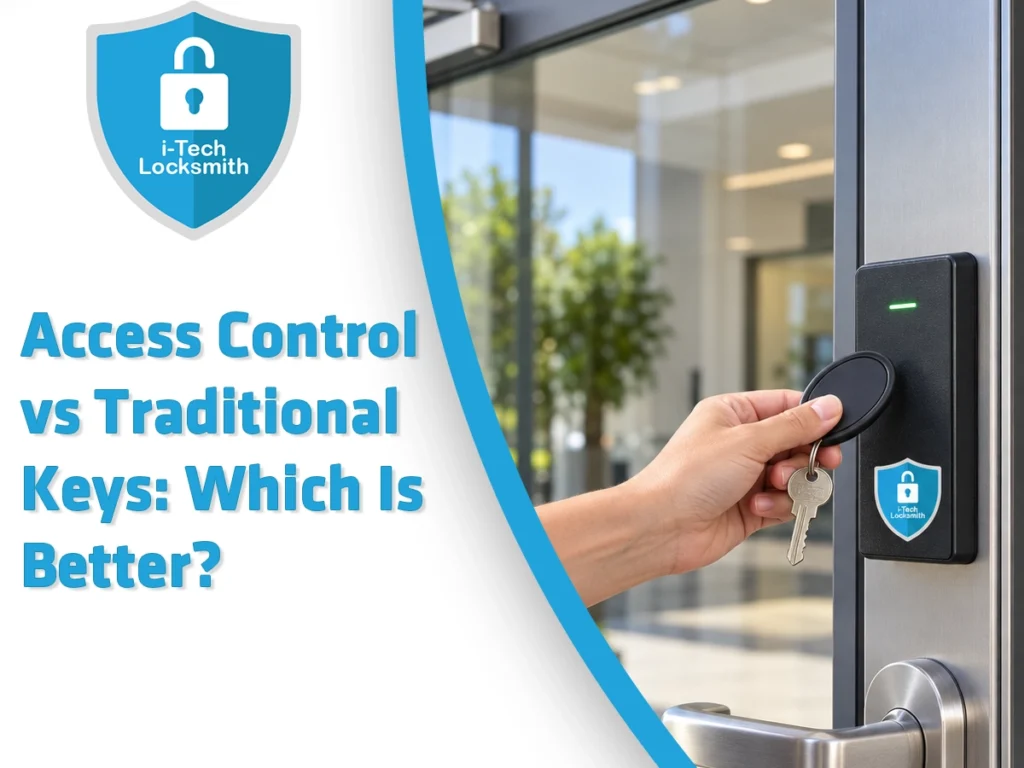
1. Access Control vs Traditional Keys Has a Surprising Texas Link
Texas places locksmiths and electronic access control device installers within the regulated private security field. That fact may surprise owners who see one option as mechanical and the other as simple office technology. The Texas Department of Public Safety explains the regulated roles and provides licensing resources. Therefore, the choice deserves more care than picking a lock from a product page.
1.1 AI Overview: The Clear Answer for Business Owners
Access control vs traditional keys has no single winner for every door. Traditional keys are simple, familiar, and independent of power or software. However, a missing key can create doubt because it may have been copied. The owner may need rekeying to remove that key from use.
Electronic access control uses cards, fobs, codes, phones, or other credentials. An approved manager can often remove one credential without changing the lock hardware. In addition, the system can limit users by door and schedule. It may also create entry records.
- Traditional keys often suit small sites with few users, few changes, and no need for entry records.
- Access control often suits businesses with staff turnover, restricted rooms, timed access, or several managed doors.
For many Fort Worth businesses, a mixed plan is the best answer. Electronic access may control active staff entrances and sensitive rooms. Meanwhile, strong mechanical locks can secure simple storage spaces or serve other planned roles. The right choice follows risk, workflow, safe exit, and total cost.
2. The Basic Difference Changes How Access Is Removed
A traditional lock checks the physical shape of a key. If the key matches the cylinder, the lock can turn. The lock does not know who holds that key. It also cannot apply a work schedule.
An electronic system checks a credential against stored rules. The system may ask whether the credential is active. It may also check the door, time, and user group before releasing the lock.
- A metal key carries permission within its cut pattern.
- An electronic credential depends on permissions managed by the system.
With a traditional key, the owner must recover every copy or change the cylinder settings. With access control, an administrator can often disable one card, fob, code, or phone credential.
However, electronic access still relies on physical door parts. A reader cannot secure a weak frame or a door that does not close. Therefore, both choices begin with sound hardware and a clear door survey.
3. Lost Keys Create Different Risks and Responses
When a business key goes missing, the owner rarely knows where it went. The key may be lost, kept, or copied. Therefore, review every affected door and the key level.
- Traditional key risk may require rekeying one lock, several locks, or part of a master key system.
- Electronic credential risk often allows one record to be disabled while other users keep working.
Prompt reporting matters under either plan. A written key or credential record can also reduce confusion.
If a lost key may expose a building, compare rekeying with replacing locks before changing every device. The correct action depends on the lock condition, key system, and current threat.
4. Access Control Gives Finer Control Over People and Time
Traditional keys can provide levels through keyed alike locks or a master key plan. These systems remain useful when designed well. However, a mechanical key usually cannot stop working at 6 p.m. or expire after Friday.
Electronic access can apply more detailed rules. A manager may enter the office and stockroom. A cleaner may enter common areas during a set window. A vendor may receive short access to one service door.
- Door permissions can reflect job duties instead of broad convenience.
- Time rules can limit entry without collecting a physical key each day.
This control is valuable only when someone maintains it. Old permissions can remain active if staff changes are not reported. Likewise, a shared code can weaken the value of a detailed system.
Therefore, each business needs an access owner. That person should approve new access, remove old access, and review exceptions. Technology supports the policy, but it does not replace responsibility.
5. Traditional Keys Offer Simple and Familiar Daily Use
A metal key needs no app, account, network, or battery. Most people already know how to use it. As a result, training is brief and daily support can be low.
Mechanical locks also work during internet and software outages. This independence can be valuable for a small site with stable staff. Moreover, the owner does not need to manage a digital platform.
- Traditional keys provide direct operation with few technical steps.
- Common commercial hardware can be serviced without changing an entire digital platform.
Still, simple use does not mean simple control at scale. A growing ring of keys becomes hard to track. Staff may forget which key opens which door. Also, returned keys do not prove that no copy exists.
Good key control reduces these problems. Number each key, record its issue, collect returns, and protect spare and master keys.
6. Access Records Add Clarity but Need Responsible Use
Traditional locks normally create no record when someone enters. Therefore, an owner cannot ask the lock which key opened it. A separate alarm or camera may provide other facts, but the lock itself stays silent.
Many access systems can record the credential, door, time, and result. These logs may help review denied entry, after hours use, or a door held open. However, the record shows the credential used, not certain proof of the person holding it.
- Unique credentials make logs more useful than one shared code.
- Clear retention and review rules protect both business needs and staff privacy.
NIST describes electronic physical access control as a mix of technology and physical security parts. The NIST security control overview explains why these systems need sound administration and audit practices.
Thus, records are an advantage only when they are protected and reviewed with purpose. Unlimited collection is not automatically better. A business should decide who may view logs and why.
7. Power, Internet, and Software Change the Reliability Question
A traditional key works during a power failure. Yet the door, latch, closer, and cylinder must remain in good condition.
Electronic access introduces more parts. Readers, controllers, locks, power supplies, batteries, network gear, and software may all affect service. However, many systems can make local decisions when internet access is unavailable.
- Ask what each controlled door does when building power fails.
- Ask what functions remain available when the internet or management service stops.
Backup power can support equipment for a planned period. Still, battery age and system load affect that time. Therefore, test batteries and keep a written outage procedure.
8. Safe Exit Is More Important Than Either Technology
Security should control entry without trapping people inside. OSHA requires exit routes to remain free and unobstructed. It also requires safety safeguards to remain in working order. The OSHA exit route standard provides the official requirements.
This duty applies to key cylinders, card readers, and keypads. However, electronic locking adds power and alarm behavior that needs planning.
- Test free exit from the secure side without a key, card, phone, or special knowledge.
- Confirm door behavior during fire alarms, power loss, hardware failure, and emergency response.
The terms fail safe and fail secure describe how some electric locks react when power is removed. Yet those labels do not decide what is lawful for every opening. Occupancy, door use, local rules, and approved plans still matter.
Therefore, have each opening reviewed and confirm any required approvals before installation.
9. Total Cost Includes More Than the Purchase Price
Traditional locks often have a lower starting cost. Still, price changes with door condition, hardware grade, cylinder type, and key hierarchy. Future rekeying and key control also add cost.
Access control usually adds readers, controllers, electric hardware, wiring, power, software, setup, and training. Some platforms also have recurring service fees. However, fast credential changes may reduce future rekeying after staff turnover.
- Compare the full installed scope instead of the reader price alone.
- Review five years of likely changes, service, credentials, software, and maintenance.
Electronic access does not always save money. A stable office may not recover the added cost. However, a busy site may value fast removal greatly.
For mechanical systems, rekeying can be cheaper than replacing sound locks. Therefore, owners should compare a proper rekey plan with the full electronic option.
10. Traditional Keys Win in Four Practical Situations
Traditional keys remain a sound choice when the door and workflow are simple. New technology should solve a real problem, not create extra work.
- Very few users need entry. A stable group can make key tracking manageable.
- The door has low daily activity. A supply closet may not need software or event records.
- Power independence matters. A suitable mechanical lock operates without a power source.
- The budget is limited. Quality mechanical hardware may address the main risk first.
Two conditions still deserve attention:
- The business must control copies and respond when a key is missing.
- The lock, frame, hinges, closer, and strike must support reliable use.
Old age alone does not prove a lock is unsafe. However, wear, poor alignment, weak key control, and unsupported hardware may justify an upgrade. These warning signs of outdated door locks can guide the first inspection.
11. Access Control Wins When Change and Detail Matter
Electronic access becomes more attractive as users, schedules, and restricted zones increase. It can remove one credential without disrupting every authorized user.
- Staff changes happen often. Administrators can disable credentials as part of departure steps.
- Different roles need different doors. Permissions can follow job duties and approved zones.
- Entry times must be limited. Schedules can control early, late, or temporary use.
- Records support operations. Logs can show access requests and door events when configured.
The platform must remain manageable. Therefore, train a primary administrator and a backup.
- Select features the business will use and review.
- Require a clear process for lost credentials, departures, alerts, and outages.
Access control is not automatically high security. Weak credentials, shared codes, poor settings, and damaged doors can reduce protection. Good design matters more than a glossy reader.
12. A Hybrid Plan Often Gives the Strongest Value
Many businesses do not need the same control on every door. A hybrid plan puts electronic access where management matters most. It keeps mechanical locks where simple control is enough.
For example, a staff entrance may use cards and schedules. A records room may use its own restricted credential group. Meanwhile, a low risk storage closet may keep a traditional keyed lock.
- Use electronic control for active doors, changing users, and sensitive areas.
- Use strong mechanical hardware where users are few and access rarely changes.
A hybrid plan can also be phased. Upgrade the highest risk doors first. Then, review results before adding more openings.
Layered security remains important. Door strength, lighting, alarms, cameras, staff training, and visitor rules can support either lock type. The guide to commercial security enhancements offers more ideas for a balanced plan.
13. Three Illustrative Cases Reveal the Better Choice
These planning cases are illustrative. They are not claims about named customers or completed I-Tech Locksmith – Fort Worth projects.
13.1 A Small Office With Stable Staff
Six employees use one main entrance. Staff changes are rare, and no entry record is required. The door and frame are in sound condition.
- A quality mechanical lock and strict key record may meet the current need.
- A planned rekey response can address a lost or unreturned key.
Here, electronic access may add cost without solving a frequent problem. Still, the owner should review the choice if staffing or door count grows.
13.2 A Retail Site With Frequent Staff Changes
A store has a rear staff door, stockroom, and manager office. Employee access changes often, while deliveries happen within set windows.
- Unique credentials can separate staff, managers, and approved vendors.
- Quick removal can reduce uncertainty after a departure or lost fob.
Here, electronic access offers clear management value. However, the customer entrance may still use standard commercial hardware during open hours.
13.3 A Warehouse With Mixed Door Needs
A warehouse has a busy staff entrance, a controlled equipment room, and several low risk closets. Not every door needs records or schedules.
- Electronic access can manage the staff entrance and equipment room.
- Mechanical locks can serve simple closets with a small approved user group.
Here, a hybrid plan may control cost while improving the most important openings. A door by door review prevents unnecessary equipment.
14. Use This Powerful Seven Step Decision Test
A business can reach a sound choice by answering seven questions about its actual work.
- How many people need access now?
- How often do users join, change roles, or leave?
- Which doors protect cash, records, equipment, or private areas?
- Do access times need to change by role?
- Would entry records support a clear business purpose?
- Who will manage permissions and review the system?
- What must happen during power, internet, or equipment failure?
Then compare the answers:
- Choose traditional keys when access is small, stable, simple, and easy to track.
- Choose electronic access when fast changes, schedules, zones, or records solve regular problems.
If the answers differ by door, use a hybrid plan tied to risk and daily work.
15. Avoid Five Costly Mistakes During the Upgrade
The wrong process can weaken either option. Therefore, examine the opening and management plan before approving equipment.
- Buying before surveying the door. The frame, latch, closer, and exit hardware may change the correct solution.
- Using one shared code. Shared access reduces accountability and can spread beyond the intended group.
- Ignoring staff departure steps. Keys and credentials should be addressed as soon as access ends.
- Forgetting outage behavior. Owners need a tested plan for power, internet, and equipment loss.
- Adding records without a policy. Decide who can view data, why it is kept, and when it is removed.
Two proposal details also prevent confusion:
- Request a written door by door scope with hardware, power, software, training, and recurring costs.
- Request a clear explanation of normal entry, denied entry, safe exit, and emergency operation.
These details help decision makers compare complete solutions and document the expected design.
16. Conclusion: Choose the System That Solves the Real Problem
Access control vs traditional keys is not a contest between modern and old. It is a choice between different ways to grant, remove, and manage entry.
Traditional keys remain reliable, familiar, and practical for stable access with few users. Electronic access offers stronger management when users change, schedules matter, or records serve a clear purpose.
- Start with the door, the people, the protected area, and the required exit path.
- Choose the simplest secure plan that the business can maintain well.
For many Fort Worth businesses, the best result uses both methods. Electronic access can protect active or sensitive doors. Meanwhile, quality mechanical locks can handle simple openings without needless complexity.
Our professional opinion is direct. Do not pay for features nobody will manage. However, do not keep a weak key process when fast credential removal would solve a repeated problem. A careful survey turns the comparison into a practical plan.
17. Frequently Asked Questions
Is Access Control More Secure Than Traditional Keys?
Access control can offer stronger management because credentials may be removed quickly, limited by schedule, and assigned to specific doors. However, security still depends on the credential, settings, door, frame, and administration. A strong mechanical lock with careful key control may be safer than a poorly managed electronic system.
What Happens to Electronic Access During a Power Outage?
Behavior depends on the electric lock, controller, power supply, backup battery, and approved door plan. Some functions may continue locally, while others may stop. Safe exit must remain available. Before installation, request a written explanation for each door and test the outage plan under qualified supervision.
Is Rekeying Better Than Installing Access Control?
Rekeying is often practical when existing locks are sound and only key authority must change. Access control may be better when a business needs regular user changes, schedules, separate door permissions, or entry records. The right answer depends on the number of doors, staff turnover, risk, and long term management needs.
Can Access Cards or Key Fobs Be Copied?
Credential risk varies by the technology and system design. Therefore, owners should not judge security by the shape of a card or fob. Ask the provider how credentials are protected, issued, replaced, and removed. Also, prohibit credential sharing and require staff to report a missing item at once.
Can a Business Use Access Control and Keys Together?
Yes. A hybrid plan can place electronic access on busy entrances and sensitive rooms. It can keep mechanical locks on simple, low risk doors. The plan should avoid unclear overlap and unmanaged backup keys. Each opening needs a defined purpose, approved users, safe exit method, and documented response when access must change.
18. Take the Next Secure Step With I-Tech Locksmith – Fort Worth
I-Tech Locksmith – Fort Worth can review your commercial doors. We explain where traditional keys, electronic access, or a hybrid plan fits best.
- Discuss staff changes, restricted rooms, key concerns, schedules, and outage needs.
- Request a clear solution based on your doors, workflow, budget, and security goals.
Contact us at
Phone : 817-663-0642
Location : 8520 Tamar Trail, Fort Worth, TX 76118
Website : www.i-tech-locksmith.com